From Calibre and RuneAudio to Something Better
Let me give you some backstory on this project. I didn't plan on it. I was going to go other routes that I've done in the past, but this time it called for some different approaches. This all started with me wanting my digital library back.
Prefer to skip the story and just get the commands? Jump to the Quick Reference Appendix at the bottom.
The Setup (Why I Wanted This Back)
I love books. There's a small collection of physical books here at home, but my digital library has grown over the past decade. My best friend had gifted me his old Kindle Touch when his brother gave him a Kindle Fire, which I ended up getting that too when whatever version came after. Over the years, I would pick up either university textbooks or some of those free books that Amazon would have. This eventually turned into finding books on various Google Drives or Reddit posts, even random forums of old. Back in early 2025, Amazon decided to phase out the download and transfer via USB and that was when I started seeing a lot of people comment on the state of things. Now, I'll admit that I'm not really on top of keeping up with some topics. E-readers and the sort fit into this. There was talk about self-hosting your own digital libraries and that was what captured my interest. Enter Calibre.
Enter Calibre, Exit Calibre
In case you don't know what Calibre is, it is marketed as "The one stop solution to all your e-book needs". It's free, self-hosting, and something that can run on practically anything. Since I adore Raspberry Pis (seriously, they can do a LOT with such little power), this led me down some paths. I originally slapped this on a Raspberry Pi 3 (RPi3), had it all set up and tested with some books on a USB that was plugged into one of the back ports. Being proud of this accomplishment, I quickly showed it to my husband, who was equally impressed. Calibre offers a whole lot in a small package:
- edit the books in your collection
- backup your library
- share your library
- view your books
- email your books to your E-reader
- download your news and magazines from the web
- convert your book formats
There's probably more in here that I'm unfamiliar with, but these are what I got to experience and fell in love with. Honestly, it was a win-win situation. Shortly after setting this up and running it for like, a whole 3 or 4 days, my husband told me that it would run better on the HTPC that sits in the living room. This intrigued me because although the application was running fine on the RPi3, it was a little slow on the whole conversion and downloading magazines. Nothing that would cause me to quit, but running on the faster system was sounding pretty good. Soon after, Calibre got installed on the HTPC and ran smoother, using the same USB that now had more books on it.
Fast forward a few months and I honestly don't remember what was the cause of the situation to change, but the HTPC started to become a bit more unused. We were hosting a Palworld server during the initial setup, but after some issues running that server (limitations on our end, mostly), we just stopped turning it on. I had my books that I wanted and essentially went and did other things. As the year went by, if there was a new crochet pattern that I got, I just emailed it from my desktop to my Kindle. Same with any book that I wanted to read. I just found it in my plethora of books and just emailed it. Sadness.
If you came across an article that I wrote back in 2023 about RuneAudio, this next section might pique your interest. I'm not going to go into details about what RuneAudio (RA) is because that article goes over all of that. All I will say is that it is a self-hosted music player that can run on a lot of things, including RPi3. My RA was running off of the original RPi and it was just cruising right along until late last year. Gave me some great times, focus music or getting that battle-ready, blood-pumping music going. Around September 2025, I started to get really annoyed with the ads that popped up on my phone. I scroll through Pinterest to get ideas. One of the most annoying things about that is plague of ads on websites. Seriously, it's awful and annoying. There would be times I came across a crochet pattern and when I visited the site, it would literally become unusable due to the ads lagging the response, cluttering the screen, and just freezing the entire experience. Not fun. So I did some research and decided to use Pi-hole. I'll write an article all on it's own for that. If you're unfamiliar with that, it is a network-wide ad blocker. This was my solution for my phone, but I didn't want to use one of my RPi3s because those were being planned out for more, future projects. Sadly, the original RPi that was running RA was my only solution. Goodbye RA.
Finding the Right Tool
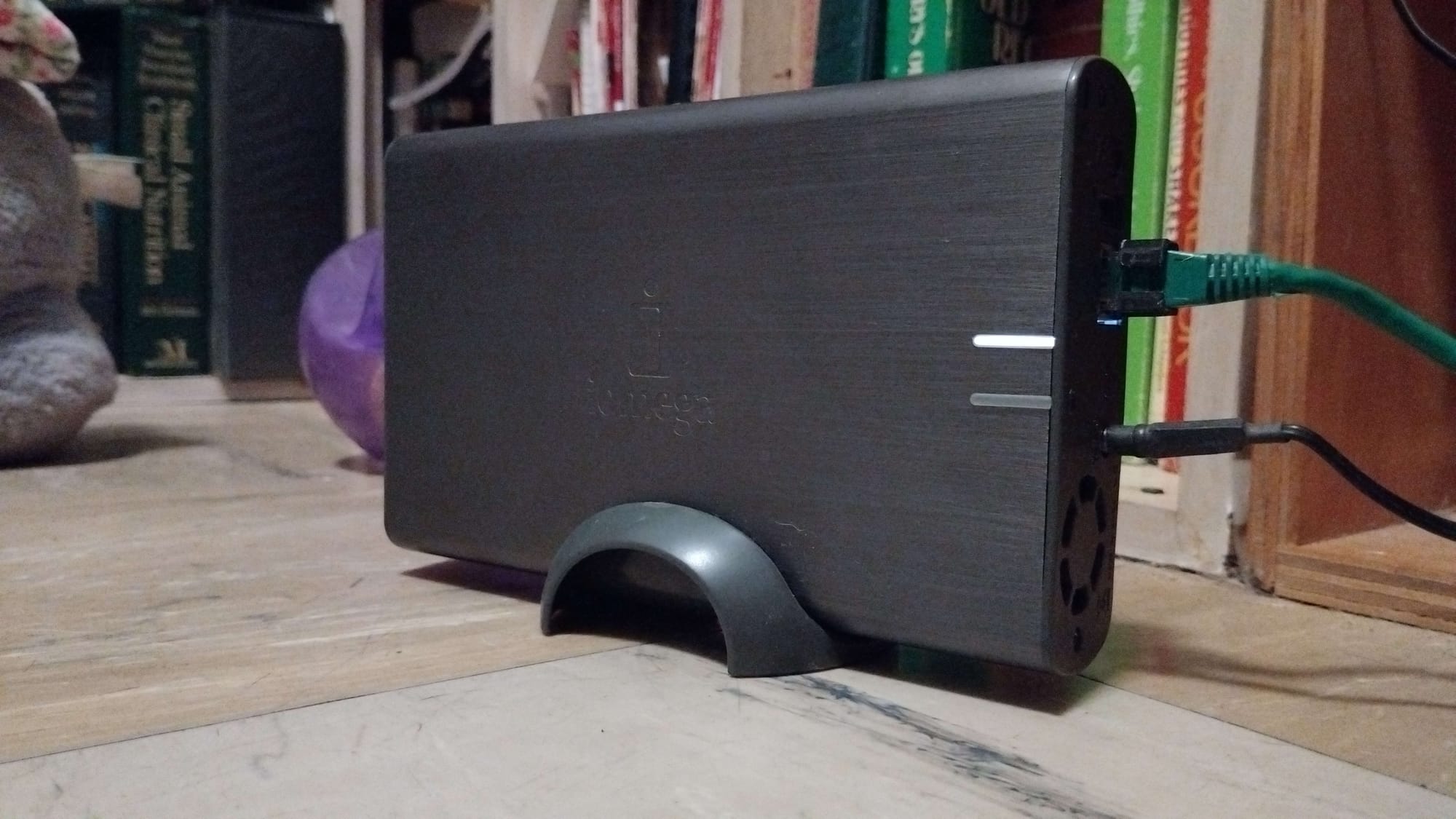
Now, if you're still here and keeping track, this is where my current predicament is: I have no digital library and no music player. One of my RPi3 projects had served it's purpose and has become a bit redundant. I'm saving that micro sd card however, with a label, in case I want to revisit that project later down the line. So now I have a spare RPi3. I was originally going to install Gentoo on it, but came to the realization that I am not mentally prepared for that task. Maybe in the future. So a distro of Raspbian OS it is. Sadly, my laptop from 2014 started to have some major issues (think the motherboard is dying), so my SD card writer is out of the picture. Thankfully, my husband has a laptop with a built in writer. When I asked him to install a Raspbian OS on it, he asked me why. I told him and he didn't fully understand why I wanted my digital library back. I guess since he doesn't rely on having access to various files for crochet patterns (commission work usually) almost constantly, it doesn't make sense. So using the Raspberry Pi Imager, he had to do all of the legwork in getting that setup. I guess, during all of that, he got curious as to how I was going to have this constructed. I have a really old Iomega NAS that my ex won in some online bid. Like, seriously old. When I moved to Mexico, I pulled it out and went to set it up. Turns out, the original hard drive started to tick. If you know what that means, you know where this headed. Yep, the hard drive was dying. Luckily, my husband likes to tinker and fix things. He found a spare 1 TB hard drive from one of the laptops that are in need of repair (whole other hobby), opened up the Iomega, swapped the drives, done. Since then, I've started placing files onto it from time to time, treating it like a NAS (as one should). I never left it on because nothing was needing to use it. My digital library and music player were gone. Bringing us back to the question: how am I going to access my books and music. I want to access them from the NAS via the RPi3. Sounds easy, right? Nope.
Turns out, Calibre is prone to corruption if accessing files that are not local. This was something my husband brought to my attention while he was putting the OS on the SD card. I never knew. I'm not sure how he found this vital information either, besides him just perusing the internet to see if my methodology will work. It would be nice for more people to know about this situation before trying this method out. So my whole entire plan of using Calibre to access files on the NAS - gone. In case you want to know what I'm talking about, Calibre installs a SQLite metadata.db file wherever the files are located. This makes it super risky when it comes to accessing over network mounts or with concurrent writers (the desktop and Calibre-Web touching the same library). I don't know anyone who would want to risk the corruption of their precious files. That would be a nightmare. I've had files corrupted in the past and it isn't fun at all. It can get heartbreaking. Anyways, so next option was to look at alternatives: Kavita, Komga, and Audiobookshelf. I know there's more out there, but these were my top 3 options for my specific needs. In order to narrow down my choice, I had to evaluate what I wanted/needed: get my e-books onto my Kindle and listening to podcasts (this is a new interest since I started getting back into game development). I don't need to have an in-browser reading capability. I live in Mexico City and I survive on pay-as-you-go internet for my phone. The free WiFi in the city works most of the time; however, there are times where I just can't get signal. One of those tends to be my Sundays at the vending venue. Would suck if I was reading something and the WiFi decides to stop working.
Best option for me was Audiobookshelf (ABS). I've never heard of it until I was doing the search for alternatives for Calibre. This application is legit. It has the native send-to-Kindle capability as well as solid podcast support. Obviously, with the name of ABS, podcast support is the main focus. I was skeptical about the e-book aspect, but it actually supports that and it supports it well. Great, I'll install it on the RPi3 and I'll be good to go. Well, not so much. There's a slight issue that ABS, as well as almost if not all others, suffer - it doesn't do format conversions. Calibre does this and does well, but I can't use Calibre. I kind of need that. There are some books that have a format that won't work with my Kindle. So now I have to figure out this problem. How do I get ABS to do what Calibre does? Turns out, Calibre's ebook-convert CLI can be used alone. This sidesteps the corruption risk entirely. So I installed Calibre just to use the ebook-convert CLI.
Talking to a 2009 NAS
Next phase was getting my NAS to show up to my RPI3. Since it is a pretty old piece of technology, this means finding out if it supports SMB1 or SMB2 or even NFS. Running some tests and it turns out, SMB1. Mount with vers=1.0 and now my RPi3 and NAS see each other. Next up is to get 2 separate mounts set up on the RPi3: /mnt/nas-books for my library scanning apps, then /mnt/nas-books-rw for the converter. I keep them both persisted via /etc/fstab with x-systemd.automount and _netdev.
(full fstab lines → Quick Reference Appendix)
Building the Converter
Onto the converter. So I got Calibre installed, but how am I going to actually access that ebook-convert CLI? I have to keep in mind that this has to be something really simple, really lightweight, and maybe flexible. Flask web applications fit that. Also, it's Python based which is perfect for the RPi3. No extra installations of anything. Okay, so next up is deciding what this needs to do exactly. I need it to be accessible via a phone or tablet browser, pick a file that is in the NAS, pick the output format, and hit that convert button. Pretty simple.
If you're wondering if using this has any possibility of corrupting the files, I'm pretty sure it is pretty low if not 0. Essentially, it will convert everything into a temporary directory first, so it only copies into the library folder on full success. If any interrupted conversions happen, they never leave partial files. No database, no persistent state, no partial files. Clean and simple.
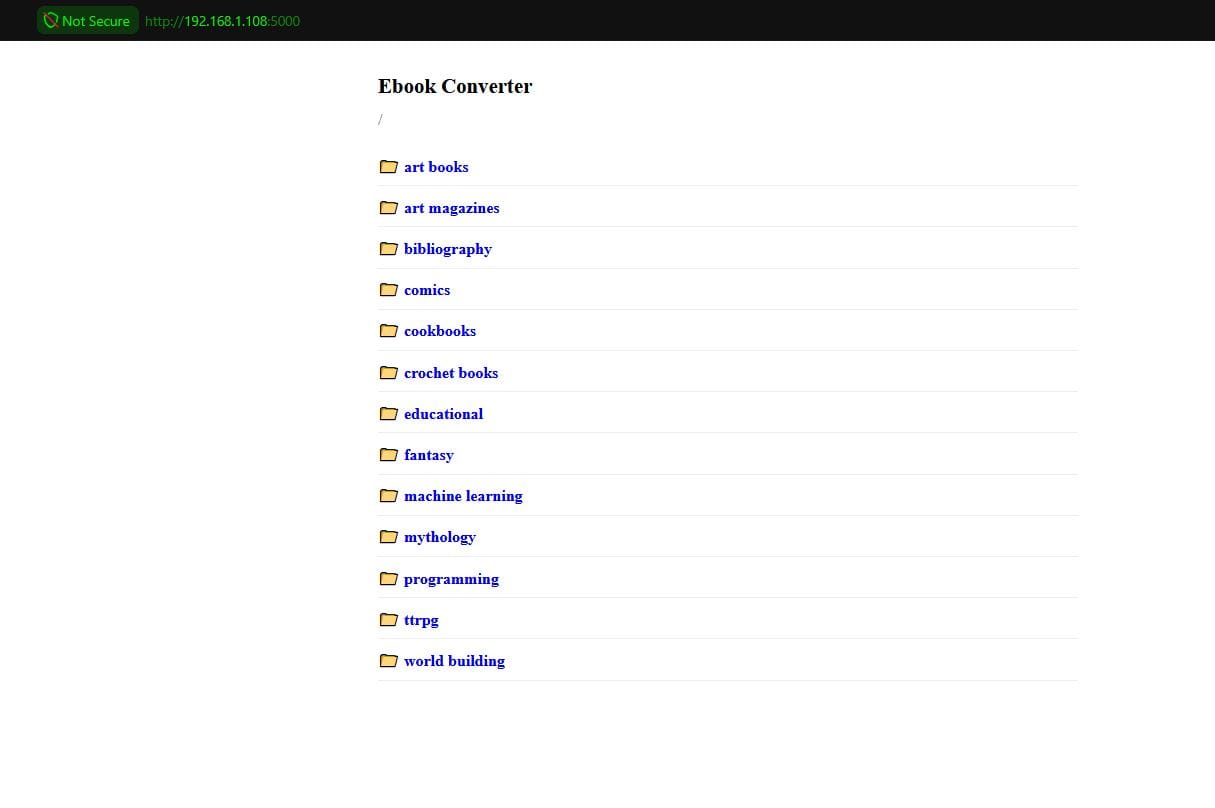
I deployed this as a systemd service so it survives any SSH disconnects, which happened a LOT while doing all of this initially. It got pretty irritating. Things I hit along the way:
- Templates folder got flattened during the file transfer, giving me a
TemplateNotFounderror. Fixed this by recreating mytemplates/subfolder on the RPi3. - PDF rendering failed headless. I found out it was
QRhiGles2/Vulkanerrors, so fixed it withQT_QPA_PLATFORM=offscreen env var, since the Pi has no GPU/display. shutil.move()failed with "Operation not permitted" on the CIFS mount. Since CIFS doesn't support permission-preserving moves, I fixed it by switching to plainshutil.copyfile().- If the conversion took a really long time (bigger files tend to take longer), the browser tab would time out. Rebuilt it as a background thread and adding a simple polling status page.
- I did hit a DRM protected file, which was correctly failed.
(systemd service file and setup commands → Quick Reference Appendix)
Audiobookshelf
Next phase was to install ABS. Best route for this was via Docker, so I had to install Docker. Once that was done, ran the ABS in a container. No problems occurred and the software booted up right away. Created an admin/root user and I was introduced to the dashboard. When I was setting up the initial library, I quickly found out that ABS treats each folder as 1 book. The way I have my NAS organized in categories, the files got wrongly merged into single items. Super frustrating. After exploring options, I came to the realization that I can have a library with multiple folders. This was fantastic news because I can create a library such as TTRPG, pointing to each folder that contained my hoard of TTRPG books (Vampire The Masquerade, Dungeons & Dragons, Alien, Pathfinder, etc). This was way better than what I initially planned. As of right now, I have 13 libraries. Some even have a shared folder with another library.
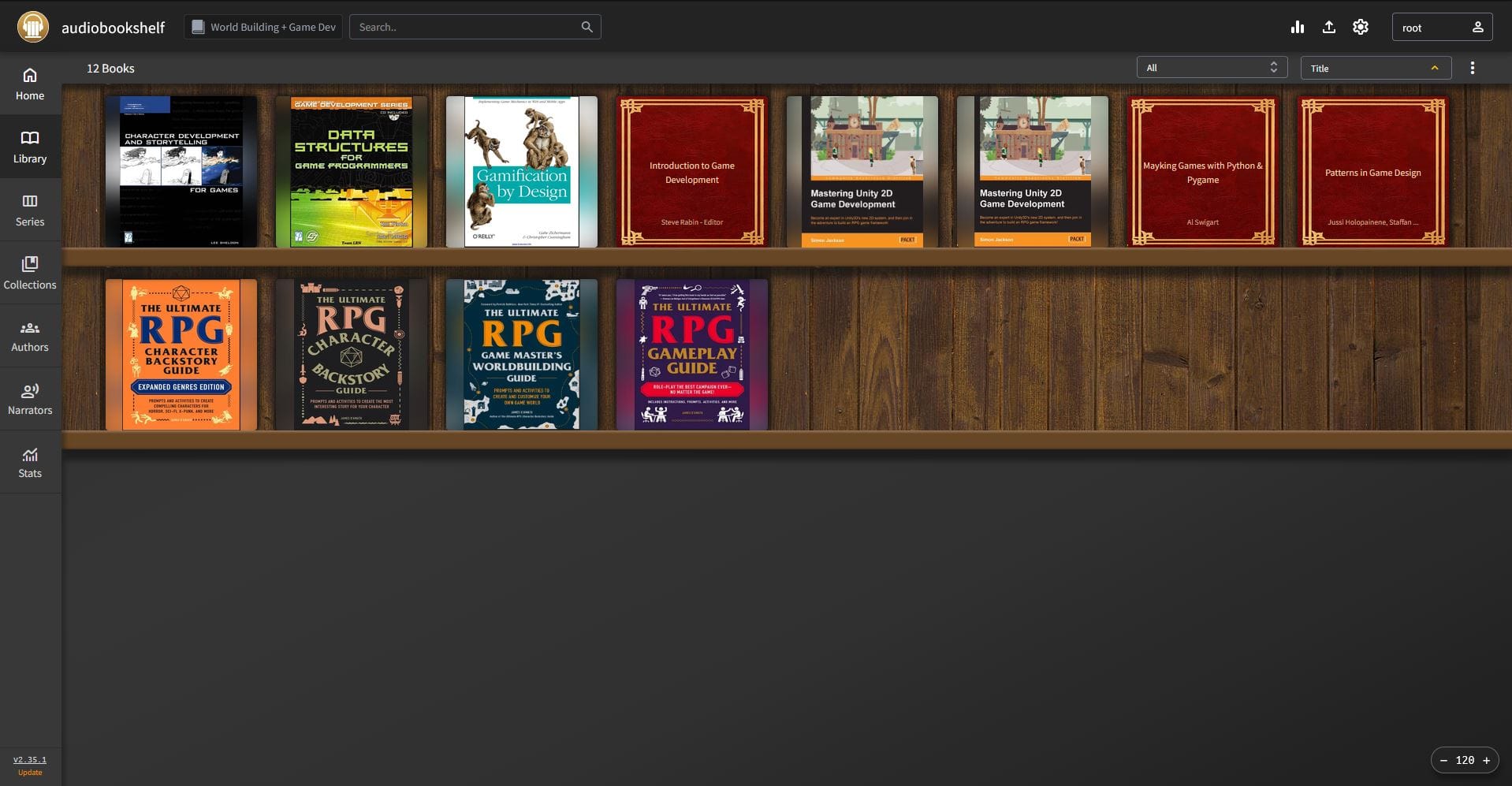
Once I got all of this set up and working, next test was to send a book to my Kindle. I will admit, I have a decent amount of email addresses. Each one has a purpose. For this particular situation, I needed an email address that has SMTP. This ruled out my Tuta and Proton emails. I also wanted an email address that isn't really used for anything else (as of right now), so I decided on my alternate Gmail account. Found the app password and set it up, then tested the send-to-Kindle. It worked. Perfect. I set up my husband with his own admin account on ABS so that he can have control over his stuff, whether he wants to admit it or not.
(docker run command → Quick Reference Appendix)
Podcasts
Moving on to my latest interest: incorporating podcasts into ABS. Since I was running this off the RPi3, I had some decisions to make - where to store podcasts, how to keep them from filling up whatever they lived on, and how to avoid eating into space I needed elsewhere. I quickly ruled out directly onto the micro sd card and the NAS would probably introduce a new problem that I couldn't think of. An RPi3 model has 4 USB ports on the back. I've got a small collection of USBs from over the years, so I'm sure I could find a smallish one that I wouldn't mind parting ways with. My initial USB choice was way too small in space (250MB). After sifting through them all, I found a 4GB that I got from a LootCrate way back in the day. It has a weird shape that really complicates the use of it when plugging into any port.
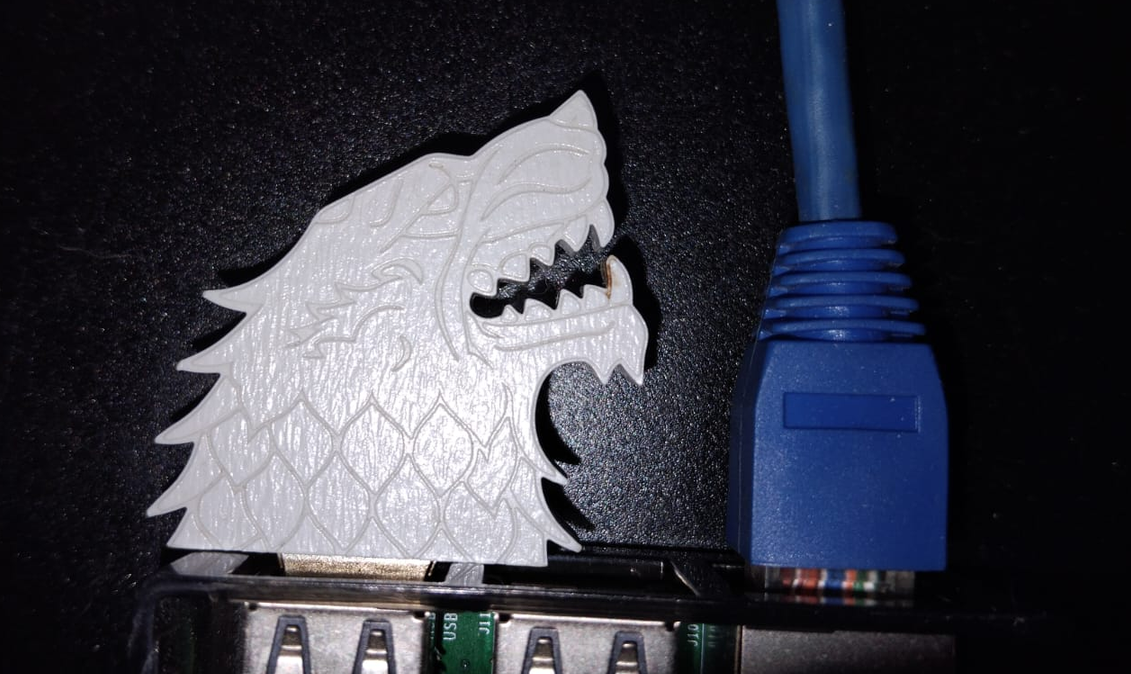
Great choice for this project. I rarely use it for anything and when I do, it's usually for a quick installation or transfer - something that doesn't require multiple plugging and using. I had a leftover Pop! OS installer on it, so I wiped and reformatted it to ext4 on the RPi3. While doing the mounting, I ran into a user error: I used the PARTUUID instead of the UUID in the fstab file. Don't do that. Use the UUID and be sure to actually save the fstab once you edit it. After all of that, I had to stop and recreate the ABS Docker container in order to map the /podcasts volume. Not a huge pain in the ass to do, but wondering why it wasn't showing up in the first place was a bit annoying. But in all fairness, I've been at this project for a bit now. I just wanted to be done with it working properly. Added my podcasts to the feed and everything is working!
(USB partitioning + fstab commands → Quick Reference Appendix)
Navidrome
Final phase. If you're still here and wondering why I rambled on about the RA and not having my music player. Enter Navidrome. I've heard of Navidrome (ND) before and looked into it in the past. It runs great on the RPi3 (can even run on the original Raspberry Pi Zero (RPi0) and is a pretty low resource user. There is a huge list of features that this thing packs, so go check it out. What I'm looking for in ND for my situation:
- low resource use
- handles large music collections
- runs all of the formats in my collections
- multi-user support
- jukebox mode
- radio access
- supports box sets and compilations
This is a bit more involved than my RA usage, which is perfectly fine. Thankfully, a lot of what was done with ABS works with ND when it comes to setting up.
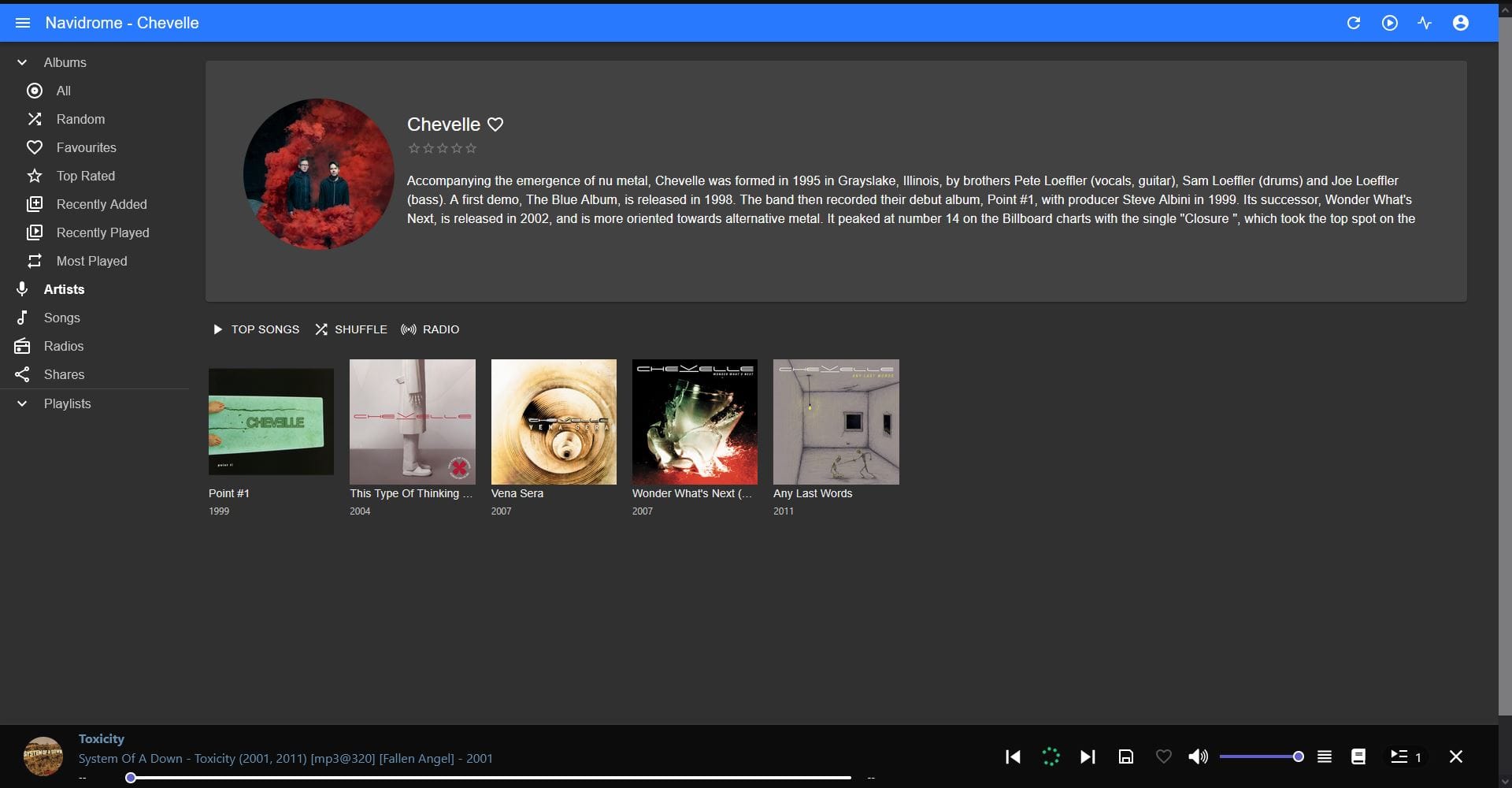
I reused the same CIFS/SMB1pattern for a new read-only NAS mount (/mnt/nas-music). Deployed it via Docker and simply pointed it at the mount. Created another user account for my husband so he can curate his own playlists. Only issue I have is that ND is tag-based when it comes to displaying music. Since a lot of my albums are from various places over the decades, the embedded metadata changes. It isn't deal breaker, but it is something I will have to deal with at some point. There is something called MusicBrainz Picard that could fix all of this.
(docker run command → Quick Reference Appendix)
So that's where things stand. My books are back, my podcasts are rolling in, and music is playing again. All of this was done with a $35 RPi3, a poorly shaped USB, and a stubborn Iomega NAS. These things are probably deemed e-waste by a lot of people, but not me. Was it more work than just using Calibre out of the box? Absolutely. But everything's local, everything's mine, and nothing is at risk of corrupting and disappearing via a silly SQLite database. If you want to build something similar, here's the actual reference - the commands, not just the story.
Quick Reference Appendix
NAS mounting (Iomega, SMB1-only)
sudo apt install cifs-utils
sudo mkdir -p /mnt/nas-books /mnt/nas-books-rw /mnt/nas-music /mnt/podcasts
Add to /etc/fstab:
//NAS_IP/books /mnt/nas-books cifs guest,ro,vers=1.0,x-systemd.automount,_netdev 0 0
//NAS_IP/books /mnt/nas-books-rw cifs guest,rw,vers=1.0,x-systemd.automount,_netdev 0 0
//NAS_IP/music /mnt/nas-music cifs guest,ro,vers=1.0,x-systemd.automount,_netdev 0 0
Apply:
sudo systemctl daemon-reload
sudo mount -a
Installing Docker itself
curl -fsSL https://get.docker.com -o get-docker.sh
sudo sh get-docker.sh
sudo usermod -aG docker $USER
Converter (Calibre CLI, no GUI)
sudo apt install calibre
sudo apt install python3-flask
For the next 3 blocks, set it up as such in your main folder:
converter/
  app.py
  templates/
    browse.html
    job_status.html
app.py (Be sure to change the "CHANGE-THIS-FOR-YOUR-USE")
"""
Ebook Converter Web App
------------------------
A small Flask app that lets you browse your NAS ebook library folder,
pick a file, convert it to another format using Calibre's `ebook-convert`
CLI tool, and save the result alongside the original.

No database and no persistent state beyond temp files during conversion.
Each conversion is a single, isolated subprocess call.
"""

import os
import shutil
import subprocess
import tempfile
import threading
import uuid
from pathlib import Path

from flask import Flask, render_template, request, redirect, url_for, flash, send_file, abort, jsonify

# --------------------------------------------------------------------------
# Configuration
# --------------------------------------------------------------------------

# Path to your NAS library folder as mounted on the Pi.
# This MUST be a read-write mount (separate from Audiobookshelf's
# read-only mount) since this app writes converted files back.
LIBRARY_ROOT = Path(os.environ.get("LIBRARY_ROOT", "/mnt/nas-books-rw"))

# Formats ebook-convert commonly handles well as *output* targets.
# This is a starting menu, not a restriction -- the "Custom" field
# in the UI lets you type any extension ebook-convert supports.
COMMON_OUTPUT_FORMATS = [
    "epub", "pdf", "mobi", "azw3", "docx", "txt", "rtf", "fb2", "lit",
]

# Extensions ebook-convert should read as *input*.
# Used only to decide what shows up as "convertible" in the browser.
# Doesn't block anything, just avoids listing e.g. images/audio as books.
# Sometimes that doesn't work fully but I think I got it mostly.
KNOWN_INPUT_EXTENSIONS = {
    ".epub", ".mobi", ".azw", ".azw3", ".azw4", ".pdf", ".txt", ".rtf",
    ".docx", ".odt", ".html", ".htm", ".fb2", ".fbz", ".lit", ".lrf",
    ".pdb", ".prc", ".pml", ".pmlz", ".rb", ".snb", ".tcr", ".cbz",
    ".cbr", ".cbc", ".chm", ".djvu", ".oeb", ".txtz",
}

app = Flask(__name__)
app.secret_key = os.environ.get("FLASK_SECRET_KEY", "CHANGE-THIS-FOR-YOUR-USE")

# In-memory job tracking for background conversions.
# This app runs as a single process for a single household, so a plain
# dict + lock should be enough. No need for a database or task queue.
# Jobs are lost on restart, which is fine: a lost job just means you'd
# see nothing happened and could retry.
jobs = {}
jobs_lock = threading.Lock()


# --------------------------------------------------------------------------
# Helpers
# --------------------------------------------------------------------------

def safe_join(base: Path, relative: str) -> Path:
    """Resolve a relative path under base, refusing to escape it."""
    candidate = (base / relative).resolve()
    base_resolved = base.resolve()
    if base_resolved not in candidate.parents and candidate != base_resolved:
        abort(400, "Invalid path")
    return candidate


def list_directory(rel_path: str):
    """Return (folders, files) for a directory under LIBRARY_ROOT."""
    target = safe_join(LIBRARY_ROOT, rel_path)
    if not target.exists() or not target.is_dir():
        abort(404, "Folder not found")

    folders, files = [], []
    for entry in sorted(target.iterdir(), key=lambda p: p.name.lower()):
        if entry.name.startswith('.'):
            continue
        rel = str(entry.relative_to(LIBRARY_ROOT))
        if entry.is_dir():
            folders.append({"name": entry.name, "rel_path": rel})
        else:
            ext = entry.suffix.lower()
            files.append({
                "name": entry.name,
                "rel_path": rel,
                "ext": ext.lstrip("."),
                "convertible": ext in KNOWN_INPUT_EXTENSIONS,
                "size_mb": round(entry.stat().st_size / (1024 * 1024), 2),
            })
    return folders, files


def run_conversion_job(job_id: str, source_path: Path, output_format: str):
    """
    Runs in a background thread. Converts source_path to output_format
    using ebook-convert, writing the result alongside the original file.
    Updates the shared `jobs` dict as it progresses so the browser can
    poll for status instead of holding one request open for minutes.

    Runs entirely in a temp dir first, only moving the final file into
    place on success. A failed/interrupted conversion never leaves
    a half-written file in your library folder. Yays.
    """
    try:
        output_format = output_format.strip().lstrip(".").lower()
        if not output_format.isalnum():
            raise ValueError("Invalid output format")

        dest_name = source_path.stem + "." + output_format
        final_dest = source_path.with_name(dest_name)

        with tempfile.TemporaryDirectory() as tmp:
            tmp_output = Path(tmp) / dest_name
            # QT_QPA_PLATFORM=offscreen: ebook-convert's PDF output plugin uses
            # Qt/WebEngine for rendering, which tries to use GPU acceleration
            # by default. A headless Pi has no display/GPU, so we force
            # software-only offscreen rendering. Otherwise PDF output fails and
            # fails horribly.
            env = os.environ.copy()
            env["QT_QPA_PLATFORM"] = "offscreen"
            result = subprocess.run(
                ["ebook-convert", str(source_path), str(tmp_output)],
                capture_output=True, text=True, timeout=1200, env=env,
            )
            if result.returncode != 0:
                raise RuntimeError(
                    f"ebook-convert failed:\n{result.stdout}\n{result.stderr}"
                )
            if not tmp_output.exists():
                raise RuntimeError("ebook-convert reported success but produced no file")

            # Plain data copy, not shutil.move/copy2. Those try to preserve
            # file permissions (chmod-style), which some CIFS/SMB mounts
            # (like my old IOmega NAS) reject with "Operation not permitted"
            # even though the actual file data copies fine.
            shutil.copyfile(str(tmp_output), str(final_dest))

        with jobs_lock:
            jobs[job_id].update(status="done", result_name=final_dest.name)

    except Exception as e:
        with jobs_lock:
            jobs[job_id].update(status="failed", error=str(e))


# --------------------------------------------------------------------------
# Routes
# --------------------------------------------------------------------------

@app.route("/")
def browse():
    rel_path = request.args.get("path", "")
    folders, files = list_directory(rel_path)
    parent = str(Path(rel_path).parent) if rel_path not in ("", ".") else None
    if parent == ".":
        parent = ""
    return render_template(
        "browse.html",
        current_path=rel_path,
        parent=parent,
        folders=folders,
        files=files,
        output_formats=COMMON_OUTPUT_FORMATS,
    )


@app.route("/convert", methods=["POST"])
def convert():
    rel_path = request.form["rel_path"]
    output_format = request.form.get("output_format") or request.form.get("custom_format")
    parent = str(Path(rel_path).parent)

    if not output_format:
        flash("Pick or type an output format.")
        return redirect(url_for("browse", path=parent))

    source = safe_join(LIBRARY_ROOT, rel_path)
    if not source.exists():
        abort(404, "Source file not found")

    job_id = uuid.uuid4().hex
    with jobs_lock:
        jobs[job_id] = {
            "status": "running",
            "source_name": source.name,
            "parent": parent,
        }

    thread = threading.Thread(
        target=run_conversion_job, args=(job_id, source, output_format), daemon=True
    )
    thread.start()

    return redirect(url_for("job_status_page", job_id=job_id))


@app.route("/job/<job_id>")
def job_status_page(job_id):
    with jobs_lock:
        job = jobs.get(job_id)
    if not job:
        abort(404, "Unknown job")
    return render_template("job_status.html", job_id=job_id, job=job)


@app.route("/job/<job_id>/data")
def job_status_data(job_id):
    """Polled via JS from the status page. Returns current job state as JSON."""
    with jobs_lock:
        job = jobs.get(job_id)
    if not job:
        abort(404, "Unknown job")
    return jsonify(job)


if __name__ == "__main__":
    app.run(host="0.0.0.0", port=5000)
browse.html (this is how you access the converter via web)
<!doctype html>
<html>
<head>
  <meta charset="utf-8">
  <meta name="viewport" content="width=device-width, initial-scale=1">
  <title>Ebook Converter</title>
  <style>
    body { font-family: -apple-system, sans-serif; max-width: 700px; margin: 2rem auto; padding: 0 1rem; }
    h1 { font-size: 1.3rem; }
    .path { color: #666; margin-bottom: 1rem; word-break: break-all; }
    ul { list-style: none; padding: 0; }
    li { padding: 0.6rem 0; border-bottom: 1px solid #eee; display: flex; align-items: center; gap: 0.5rem; flex-wrap: wrap; }
    a.folder { text-decoration: none; font-weight: 600; }
    .fname { flex: 1; min-width: 150px; }
    .size { color: #999; font-size: 0.85rem; }
    select, input[type=text] { padding: 0.3rem; }
    button { padding: 0.3rem 0.7rem; }
    .flash { background: #fffae0; border: 1px solid #e0d080; padding: 0.6rem; margin-bottom: 1rem; border-radius: 4px; }
    .not-convertible { color: #bbb; }
  </style>
</head>
<body>
  <h1>Ebook Converter</h1>

  {% with messages = get_flashed_messages() %}
    {% if messages %}
      {% for m in messages %}<div class="flash">{{ m }}</div>{% endfor %}
    {% endif %}
  {% endwith %}

  <div class="path">/{{ current_path }}</div>

  <ul>
    {% if parent is not none %}
      <li><a class="folder" href="{{ url_for('browse', path=parent) }}">.. (up)</a></li>
    {% endif %}

    {% for f in folders %}
      <li><a class="folder" href="{{ url_for('browse', path=f.rel_path) }}">📁 {{ f.name }}</a></li>
    {% endfor %}

    {% for file in files %}
      <li>
        <span class="fname {{ '' if file.convertible else 'not-convertible' }}">
          {{ file.name }} <span class="size">({{ file.size_mb }} MB)</span>
        </span>
        {% if file.convertible %}
        <form method="post" action="{{ url_for('convert') }}" style="display:flex; gap:0.4rem; align-items:center;">
          <input type="hidden" name="rel_path" value="{{ file.rel_path }}">
          <select name="output_format">
            <option value="">-- pick --</option>
            {% for fmt in output_formats %}
              <option value="{{ fmt }}">{{ fmt }}</option>
            {% endfor %}
          </select>
          <span>or</span>
          <input type="text" name="custom_format" placeholder="custom ext" size="6">
          <button type="submit">Convert</button>
        </form>
        {% endif %}
      </li>
    {% endfor %}
  </ul>
</body>
</html>
job_status.html (this is a nice thing that shows you the progress of the conversion)
<!doctype html>
<html>
<head>
  <meta charset="utf-8">
  <meta name="viewport" content="width=device-width, initial-scale=1">
  <title>Converting...</title>
  <style>
    body { font-family: -apple-system, sans-serif; max-width: 500px; margin: 4rem auto; padding: 0 1rem; text-align: center; }
    .spinner { width: 40px; height: 40px; border: 4px solid #eee; border-top-color: #666; border-radius: 50%; margin: 1.5rem auto; animation: spin 1s linear infinite; }
    @keyframes spin { to { transform: rotate(360deg); } }
    .name { color: #666; word-break: break-all; margin-bottom: 0.5rem; }
    .ok { color: #2a7a2a; }
    .err { color: #b00020; white-space: pre-wrap; text-align: left; font-size: 0.85rem; background: #fff0f0; padding: 0.8rem; border-radius: 4px; margin-top: 1rem; }
    a.button { display: inline-block; margin-top: 1.5rem; padding: 0.6rem 1.2rem; background: #333; color: white; text-decoration: none; border-radius: 4px; }
  </style>
</head>
<body>
  <div class="name">{{ job.source_name }}</div>
  <div id="content">
    <div class="spinner"></div>
    <div>Converting... this can take several minutes for large files.</div>
    <div>You can close this tab -- the conversion keeps running in the background.</div>
  </div>

  <script>
    const jobId = "{{ job_id }}";
    const parent = {{ job.parent | tojson }};

    async function poll() {
      const res = await fetch(`/job/${jobId}/data`);
      const data = await res.json();

      if (data.status === "running") {
        setTimeout(poll, 3000);
        return;
      }

      const content = document.getElementById("content");
      if (data.status === "done") {
        content.innerHTML = `
          <div class="ok">✅ Converted: ${data.result_name}</div>
          <a class="button" href="/?path=${encodeURIComponent(parent)}">Back to library</a>
        `;
      } else {
        content.innerHTML = `
          <div class="err">Conversion failed:\n${data.error}</div>
          <a class="button" href="/?path=${encodeURIComponent(parent)}">Back to library</a>
        `;
      }
    }

    poll();
  </script>
</body>
</html>
Key implementation details:
- Convert into a temp directory first; only copy to the NAS on success
shutil.copyfile(), notshutil.move()— CIFS rejects permission-preserving moves- Set
QT_QPA_PLATFORM=offscreenbefore callingebook-convert— headless PDF rendering needs it - Run conversions in a background thread with a polling status page — long conversions will otherwise time out the browser
- Deploy as a
systemdservice so it survives SSH disconnects
Systemd
[Unit]
Description=Ebook Converter Web App
After=network-online.target
Wants=network-online.target

[Service]
Type=simple
User=YOUR_USER_NAME_HERE
WorkingDirectory=/home/YOUR_USER_NAME_HERE/converter
Environment=LIBRARY_ROOT=/mnt/nas-books-rw
Environment=QT_QPA_PLATFORM=offscreen
ExecStart=/usr/bin/python3 /home/YOUR_USER_NAME_HERE/converter/app.py
Restart=on-failure
RestartSec=5

[Install]
WantedBy=multi-user.target
Nothing fancy here. It tells systemd not to start until the network's actually up, run the Flask app as my own user (not root), and if it ever crashes, restart it automatically after 5 seconds instead of me having to notice and do it by hand. Save that as /etc/systemd/system/ebook-converter.service, then:
sudo systemctl daemon-reload
sudo systemctl enable --now ebook-converter
and it's alive permanently. It survives reboots, survives me closing my SSH session, survives all of it.
Audiobookshelf (Docker)
docker run -d \
  --name audiobookshelf \
  -p 13378:80 \
  -v ~/audiobookshelf/config:/config \
  -v ~/audiobookshelf/metadata:/metadata \
  -v /mnt/nas-books:/books \
  -v /mnt/podcasts:/podcasts \
  --restart unless-stopped \
  advplyr/audiobookshelf
Note: one library item per top-level folder — if your books are organized by category with many files per folder, create one library per category so files at each library's root get recognized individually, rather than merged into one item.
Podcast USB drive
sudo wipefs -a /dev/sda
sudo parted /dev/sda mklabel gpt
sudo parted /dev/sda mkpart primary ext4 0% 100%
sudo mkfs.ext4 /dev/sda1
sudo blkid /dev/sda1   # copy the UUID (not PARTUUID!)
Add to /etc/fstab:
UUID=your-actual-uuid /mnt/podcasts ext4 defaults,nofail 0 2Navidrome (Docker)
docker run -d \
  --name navidrome \
  -p 4533:4533 \
  -v ~/navidrome/data:/data \
  -v /mnt/nas-music:/music:ro \
  --restart unless-stopped \
  deluan/navidrome:latest
Final notes:
URLs for various things here will consist of your unit's IP. For mine, I'm running off of my RPi3's wifi. The converter is the IP_ADDRESS:5000, ABS is IP_ADDRESS:13378, and Navidrome is IP_ADDRESS:4533.
Want more stuff? Be sure to subscribe (for free!!!) and even join the Discord!


Comments ()